Photos, videos and documents, locked on your iPhone and nowhere else.
StrongRoom keeps the things that are nobody else's business behind a pattern or passphrase only you know. There is no account to make, no cloud to leak from and no analytics to opt out of.
Coming to the App Store. See what version 1.0 includes.
See how it worksFree for iPhone. Pro is optional. Requires iOS 26 or later.
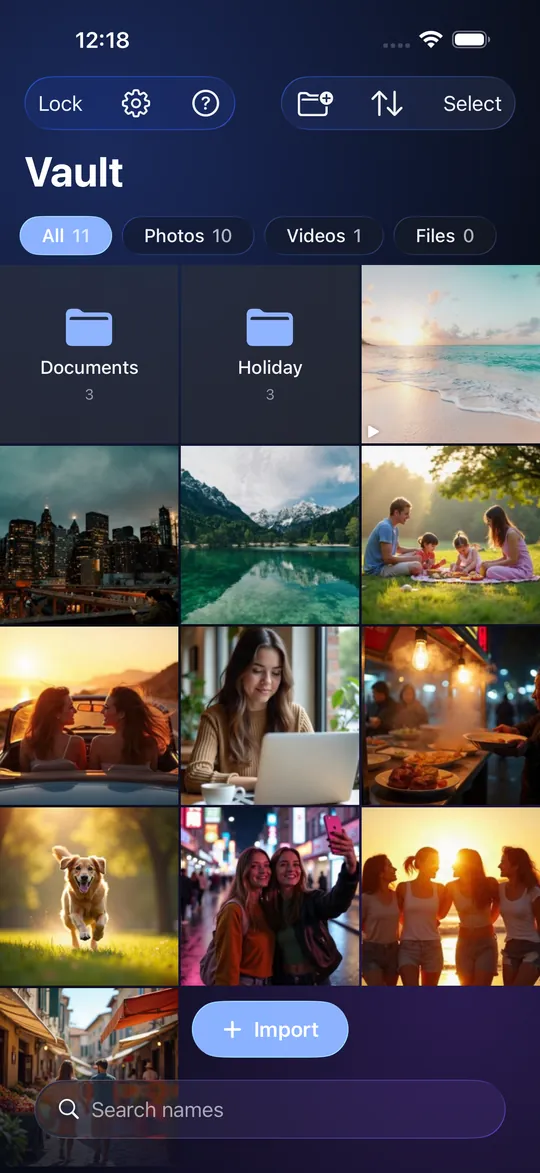
Three things you can check
- No account. Open the app and start. We never ask for an email, a phone number or a name.
- No network. The app makes no network connections of its own. The only traffic is Apple's, if you choose to buy Pro. Its App Store privacy label will say Data Not Collected.
- Tied to this phone. Your key is made from your pattern or passphrase and a secret held in the iPhone's Secure Enclave. A copy of the app's files is useless on any other device.
What you can do with it
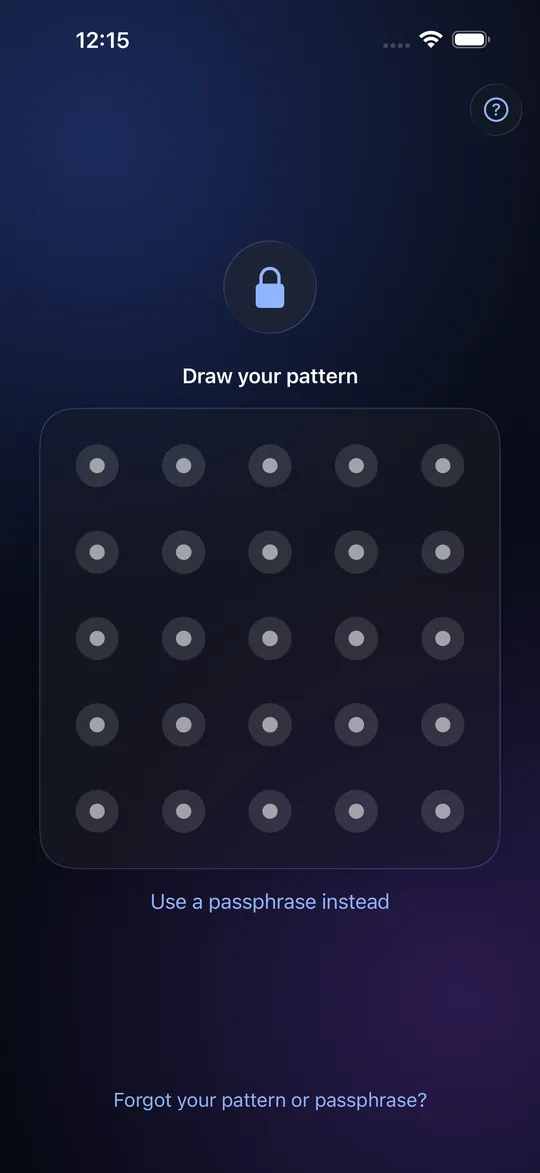
Pattern or passphrase lock
draw on a 5 x 5 grid or type a passphrase.
Encryption you do not manage
AES-256-GCM, a separate key for every item.
Separate Vaults Pro
each opened by its own pattern or passphrase; no list of Vaults, ever. The free app has one Vault and the Empty Vault.
Duress Vault Pro
opening it erases every other Vault on the phone.
Recovery Phrase and optional Recovery PIN
a way back from a forgotten pattern.
Folders, search and filters
sort hundreds of items.
Private camera
photos and video go straight into the Vault, never the photo library.
Import and scan
photos, videos, any file from Files, and paper scanned straight to an encrypted PDF.
Viewer and slideshow
Export Package
an encrypted file of a whole Vault, to restore on a new iPhone.
Share Package
send chosen items as an encrypted file, with an optional open limit and expiry.
Auto-lock and guess protection
locks when you leave; guessing slows down.
How it works
- Choose how it opens. Draw a pattern of at least six dots on a 5 x 5 grid, or type a passphrase. Write down the 12-word Recovery Phrase the app shows you once.
- Add what is private. Pick photos and videos, import files, or shoot straight into the Vault. Everything is encrypted as it goes in.
- Lock it and leave. The Vault locks when you leave the app (or after a grace of 15 seconds or 1 minute if you choose), and the app switcher shows a blank screen.
Honest about the limits
A vault is only as good as its limits are clear.
- There is no cloud backup. If you lose your phone and have no Export Package, your data is gone. We cannot recover it, because we never had it.
- The Recovery Phrase is shown once. We keep no copy.
- A Recovery PIN is easier to remember and easier to guess than the phrase.
- A Share Package's open limit and expiry are enforced by the app on the other person's phone. Someone with enough skill can get around them.
- StrongRoom does not hide its own icon or pretend to be another app.
Free, with an optional Pro
The free app has one Vault that holds up to 10 items (photos, videos and documents together). StrongRoom Pro adds unlimited items, more than one Vault and the Duress Vault: yearly or monthly, each with a 7-day free trial for new subscribers, or once for good. Prices vary by country. The Empty Vault, recovery, folders, camera, Export Package, Share Package and every setting are free. Anything already in a Vault can always be opened, exported and deleted, with or without Pro.
Questions people ask first
What is StrongRoom?
An iPhone app that keeps photos, videos and documents encrypted behind a pattern or passphrase only you know. It needs no account and makes no network connections of its own.
Do I need an account or iCloud?
No. There is no sign-up and the app does not use iCloud. Purchasing Pro goes through Apple, as with any app.
Is it really encrypted?
Yes. Items are encrypted with AES-256-GCM, with a separate key for every item, using the encryption built into iOS. The key that protects your Vault is made from your pattern or passphrase and a hardware-bound secret that never leaves the phone.
What happens if I lose my phone?
Without an Export Package, the data is gone, because nothing is backed up anywhere. Make an Export Package and keep it somewhere safe; it restores with your 12-word Recovery Phrase.
Is it better than the Hidden album?
They do different jobs. The Hidden album hides photos behind your device passcode inside the photo library. StrongRoom keeps them out of the library and encrypts them separately. See the comparison. Read more: Hidden album or vault app?
Does it work on iPad?
Not in version 1.0. StrongRoom is for iPhone.
Put your private things in a proper vault
StrongRoom is a free iPhone app, coming to the App Store.
Coming to the App Store. See what version 1.0 includes.